
Home Essentials
Living Spaces
🔥 THIS WEEK
Best Home Deals This Week
Explore top-rated home essentials and trending smart products.
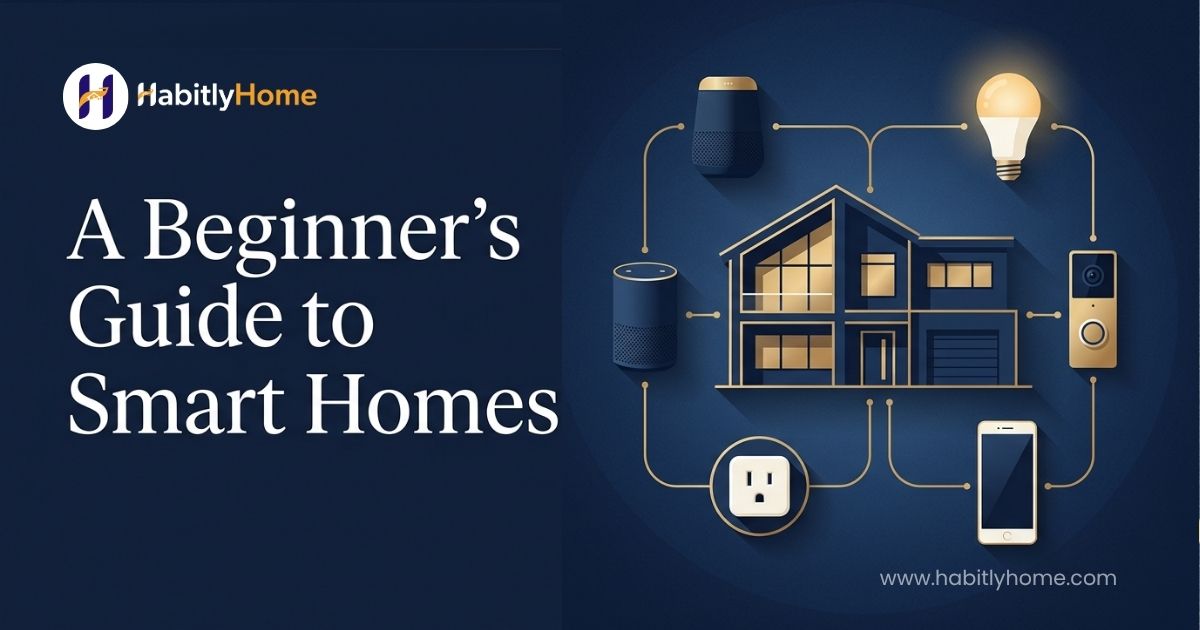
Learning how to build a smart home is easier when you start with a small number of compatible devices instead of buying a complete ecosystem at once. A smart home guide for beginners should begin with the tasks you actually want to automate, then build a smart home setup guide around those priorities.
A smart home guide for beginners should explain compatibility before recommending a long list of devices.Smart home devices in 2026 are increasingly designed to work across ecosystems, but compatibility still needs to be checked before buying. Smart home technology has moved well past being a novelty for tech enthusiasts. In 2026, it has become genuinely practical for ordinary households, whether you are renting a small apartment or settling into a house for years to come.
The challenge for most people is not whether smart home devices are worth considering, it is knowing where to actually start without overspending on gadgets that end up half configured and forgotten within a month.This guide walks through building a smart home the right way, starting small, understanding what actually matters, and avoiding the most common mistakes people make when they get excited and buy too much too quickly.
modern-home-styling-ideas-interior-inspiration-habitlyhome.jpg
At its core, a smart home is simply a collection of connected devices that can be controlled remotely, automated on a schedule, or triggered by other events, rather than only operated manually. This can be as simple as a single smart plug controlling a lamp, or as involved as a fully automated system that adjusts lighting, temperature, and security based on the time of day and who is home. Learning how to build a smart home starts with one useful task rather than a house full of disconnected gadgets.
The important thing to understand early on is that a smart home does not need to be all or nothing. You do not need to automate every device in your house on day one, and in fact, trying to do so is one of the most common reasons people end up frustrated and abandon the idea altogether. A smart home built gradually, one genuinely useful device at a time, tends to work far better in practice than one bought all at once.
Start With a Plan Before You Buy Anything Before purchasing a single device, it is worth spending a few minutes thinking through what problem you are actually trying to solve. Are you hoping to save on energy bills, add convenience to daily routines, improve home security, or simply reduce the number of light switches you need to walk across a room to reach. The answer shapes which devices are actually worth your money.
A best smart home starter kit should solve a few useful problems instead of filling every room with gadgets. It is also worth deciding early which ecosystem you want your devices to work within. Most smart home devices connect through a central voice assistant or hub, and while many devices work across multiple ecosystems, picking one primary system to build around from the start avoids the frustration of devices that do not talk to each other properly later on.
For anyone new to smart home technology, a handful of devices consistently deliver the most genuine day to day value, and they make a sensible starting point before expanding further.
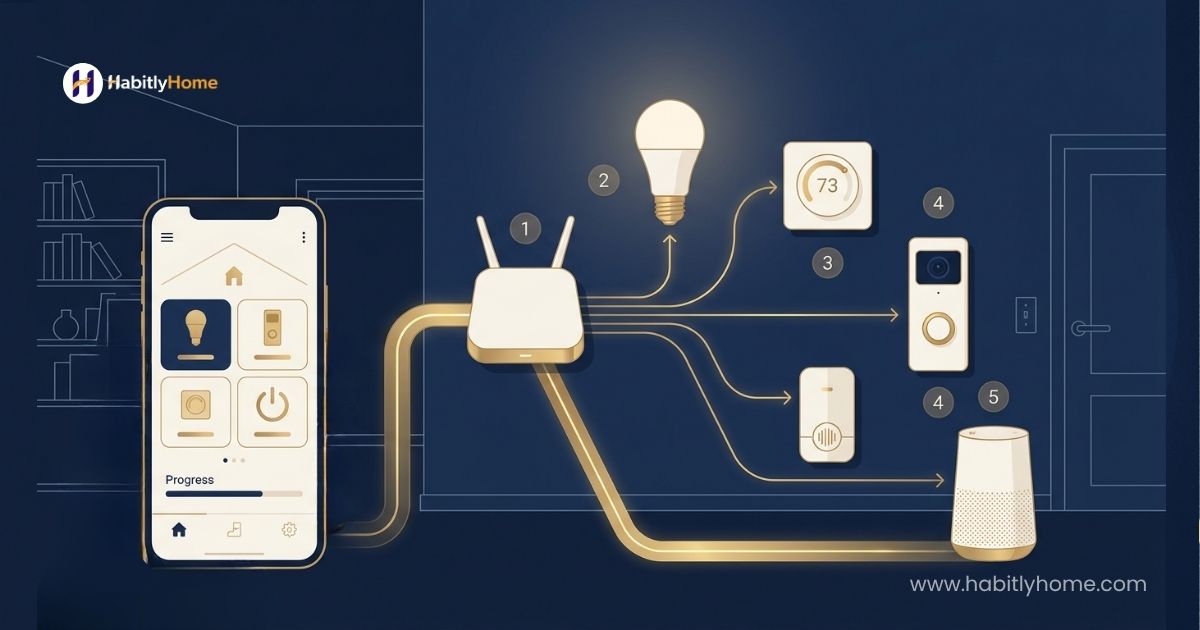
If you are deciding how to build a smart home, choose the devices that solve a real daily annoyance first.A smart plug is one of the simplest and most affordable entry points, letting you control lamps, fans, or small appliances remotely and on a schedule. It requires no wiring changes and can be set up in minutes, which makes it a low risk way to get a feel for how smart home automation actually works in practice.
A smart speaker or voice assistant often becomes the central hub that ties everything else together, letting you control lighting, check the weather, set timers, or manage other connected devices through a simple voice command instead of separate apps. This is usually worth investing in early, since so much of the convenience of a smart home comes from being able to control multiple things through one consistent interface.
Smart lighting is another strong early addition, whether that means smart bulbs in existing fixtures or smart switches replacing traditional ones. Beyond convenience, scheduled and automated lighting can genuinely help with energy efficiency, and the ability to dim or adjust lighting color for different times of day adds a noticeable quality of life improvement that people often underestimate before trying it.
Smart home automation basics are easier to learn when routines are introduced one at a time.A smart video doorbell adds a meaningful layer of everyday peace of mind, letting you see and speak with whoever is at your door whether you are home or not. This is particularly useful for anyone who frequently misses deliveries or wants added visibility without a full security system.
A sensible way to approach how to build a smart home is to check compatibility before buying anything.Understanding Smart Locks Before You Commit Smart locks tend to generate the most questions from beginners, largely because they involve both convenience and security in the same device. A good smart lock lets you grant access remotely, useful for deliveries, guests, or managing a property from a distance, and removes the need to carry physical keys.
That said, a smart lock is worth researching more carefully than most other smart home devices before purchasing, since reliability and battery life genuinely matter here in a way they do not for something like a smart plug. A smart lock that runs out of battery or loses connection at the wrong moment is more than an inconvenience, it can leave you locked out entirely. Reading recent, genuine reviews focused on reliability, not just features, is worth the extra time before this particular purchase.
modern-home-styling-ideas-interior-inspiration-habitlyhome.jpg
One of the most common misconceptions about smart homes is that they require a significant upfront investment. In reality, a genuinely useful starting setup, a smart speaker, a couple of smart plugs, and a few smart bulbs, can be put together for a modest cost, well within reach of most household budgets.
The cost tends to scale with ambition rather than necessity. Adding smart locks, comprehensive lighting throughout a home, or a full security camera system increases the investment considerably, but none of that is required to get real value from smart home technology. Many people find that a handful of well chosen devices deliver most of the practical benefit, with additional devices offering diminishing returns beyond that point.
A reliable smart home setup guide should also explain what happens when Wi-Fi or an internet connection is unavailable. For beginners, how to build a smart home is mainly a planning exercise: choose an ecosystem, a connection method and a few priorities.
This is worth answering honestly rather than assuming the answer is automatically yes. For some households, particularly those who value convenience, want better visibility into home security, or are motivated by potential energy savings, a smart home setup delivers genuine, ongoing value. For others, especially those who do not want to manage another set of apps and settings, or who move frequently and do not want to reinstall devices each time, the value proposition is weaker.
The honest answer is that a smart home is worth it for the specific problems it solves for you personally, not as a blanket upgrade everyone should pursue. Starting with one or two devices and genuinely using them for a few weeks before expanding further is the most reliable way to find out whether it is worth it for your own household, rather than committing to a full setup based on enthusiasm alone. Common Mistakes to Avoid
The most common mistake beginners make is buying too many devices at once, across multiple incompatible ecosystems, before understanding how any of them actually fit into daily life. This usually results in a handful of devices working well and several others sitting unused because they never quite got set up properly or never fit into an actual routine.
Another common mistake is underestimating the importance of a reliable home internet connection. Smart home devices depend entirely on a stable network, and a weak or overloaded home Wi-Fi signal is one of the most common causes of frustrating, unreliable smart home experiences, regardless of how good the devices themselves are. If you are serious about building out a smart home, it is worth confirming your network can genuinely support multiple connected devices before investing heavily in the devices themselves.
Knowing how to build a smart home also means knowing what not to automate.Finally, many people overlook the importance of firmware updates and long term software support, particularly for devices connected to home security, like locks and cameras. A device from a brand with a poor track record of updates can become a security liability over time rather than the convenience it was meant to provide, so it is worth checking a brand’s update history before committing, not just the device’s current feature list.
modern-home-styling-ideas-interior-inspiration-habitlyhome.jpg
Most modern smart home devices do require a home Wi-Fi connection or a hub connected to one in order to function fully, particularly for remote access and voice control. Some devices do offer limited local functionality without an internet connection, but the majority of the convenience that makes smart home technology worthwhile depends on that connection being stable and reliable.
Security and privacy are genuinely worth thinking about before building out a smart home, since these devices are, by definition, connected to the internet and often to sensitive parts of your daily life. This does not mean smart home technology is inherently unsafe, but it does mean some basic precautions are worth taking from the start rather than as an afterthought.
Using strong, unique passwords for your home network and for each device’s associated app is the single most effective step most people can take, since weak or reused passwords remain one of the most common ways connected devices get compromised. Enabling two factor authentication wherever it is offered adds a meaningful additional layer of protection with very little ongoing effort required. It is also worth paying attention to a brand’s track record on security updates before purchasing, particularly for devices like cameras and locks that have direct access to your home.
A well established brand that regularly issues security patches is a meaningfully safer choice than a lesser known brand offering a similar device at a lower price but with an unclear update history. Reading recent reviews specifically mentioning update frequency and support responsiveness, rather than just initial device quality, is worth the extra research time for anything security related. A flexible setup makes how to build a smart home easier because new devices can be added without replacing everything.
One of the most common reasons people end up disappointed with a smart home setup is expecting devices to work flawlessly right out of the box with zero troubleshooting required. In reality, even well reviewed smart home devices occasionally need a firmware update, a network reconnection, or a brief reconfiguration after a power outage or router change. This is normal, not a sign that a device is faulty or that smart home technology is not worth pursuing.
Building in a little patience during the first few weeks with any new device, rather than assuming something is broken the first time it does not respond instantly, leads to a far more positive experience overall. Most connectivity hiccups resolve with a simple restart of either the device or the home router, and this becomes second nature quickly once you are used to how these systems generally behave.
It is also worth setting realistic expectations about automation specifically. Fully automated routines, lights that turn on precisely when you walk in, temperature that adjusts perfectly to your schedule, usually take some trial and error to get right. The first version of any automation you set up is rarely the final version, and treating this as a system you refine over the first month rather than something that needs to be perfect immediately leads to far less frustration.
Once your initial devices are genuinely part of your daily routine, expanding a smart home setup becomes far more straightforward, since you already understand your own preferences and which ecosystem works for your household. From there, additional devices like smart thermostats, expanded lighting, or a broader security setup can be added deliberately, one genuinely useful addition at a time, rather than all at once.
The best answer to how to build a smart home depends on the home, budget and routines rather than a universal shopping list. A smart home in 2026 is genuinely more accessible and more useful than it has ever been, but the households that get the most value from it are the ones who start small, choose devices that solve a real problem, and expand gradually based on what actually proves useful in daily life. Resist the temptation to buy everything at once, start with a device or two, give it a genuine few weeks of real use, and let that experience guide what comes next.
Above all, remember that the goal of a smart home is to make daily life easier, not to add another layer of complexity to manage. If a device genuinely saves you time, adds real convenience, or gives you meaningful peace of mind, it has earned its place. If it mostly sits there as a novelty you rarely interact with, it is perfectly reasonable to decide it is not worth keeping, regardless of how appealing it seemed at the time of purchase. A smart home built around what actually improves your daily routine will always serve you better than one built around simply owning the most devices.
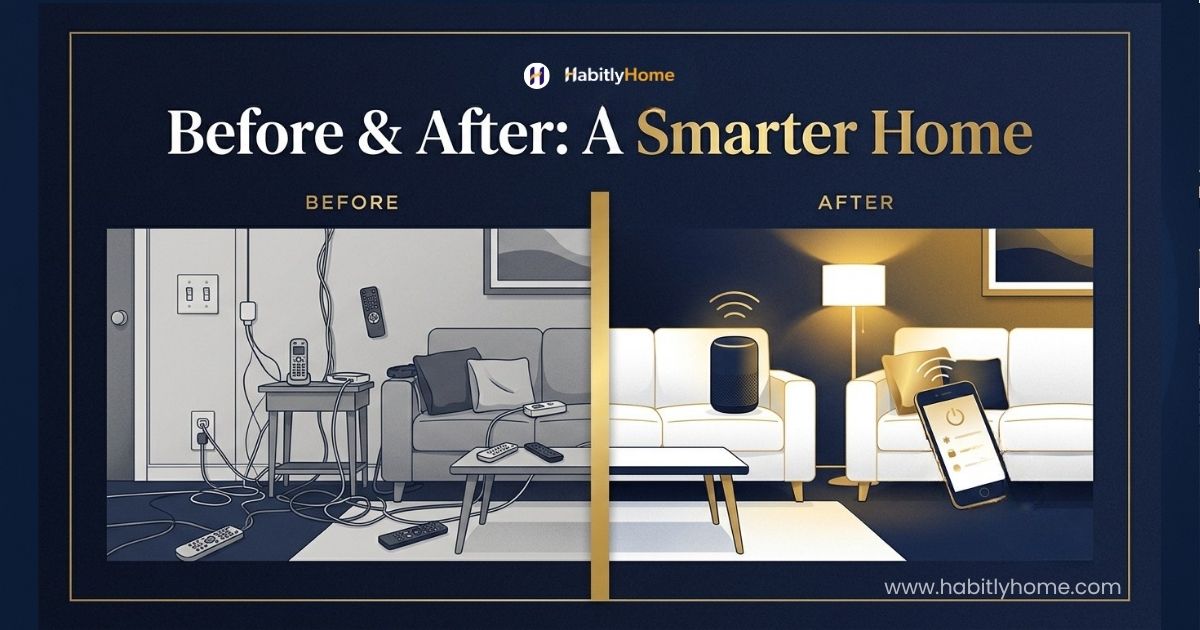
Once the basics work reliably, how to build a smart home becomes an incremental process instead of a single expensive project.Learning how to build a smart home starts with one useful task rather than a house full of disconnected gadgets. When comparing smart home devices 2026 shoppers should check compatibility, support and long-term usefulness rather than buying on novelty alone.
smart-home-guide-for-beginners-habitlyhome.jpg
Is a smart home worth it — and how does it relate to how to build a smart home?
It can be when automation removes a repeated task or improves convenience, security or energy management. Start with one or two useful routines rather than buying devices simply because they are connected.
How much does it cost to make a smart home?
The cost depends on the number and type of devices, whether a hub is required and whether you choose premium products. A small starter setup can be built gradually rather than purchased all at once.
What do I need to start a smart home?
Begin with a reliable Wi-Fi network, a compatible control ecosystem and one or two devices that solve a real problem. Expand only after the first setup works reliably.
Do smart home devices work without Wi-Fi?
Some basic functions continue without internet access, but cloud features, remote control and certain automations may depend on an active network or internet connection.
Learn how climate, frame material, cushion fabric, hardware and seasonal care affect outdoor furniture. Use the practical checks in this guide to compare durability and maintenance before committing to a set.

Plan a small living room around its real purpose, doorways and walking routes. Compare sofa sizes, flexible furniture, lighting and rug placement before buying anything, so the layout feels comfortable rather than crowded.

This beginner guide explains how to build a smart home in stages. Choose devices around real needs, check ecosystem compatibility, protect your network and understand which features may stop working during a Wi-Fi or internet outage.

Learn how to organize a small kitchen by clearing clutter, using vertical space and giving everyday tools a practical home. These realistic changes help improve access and counter space without a renovation.
No account yet?
Create an Account